

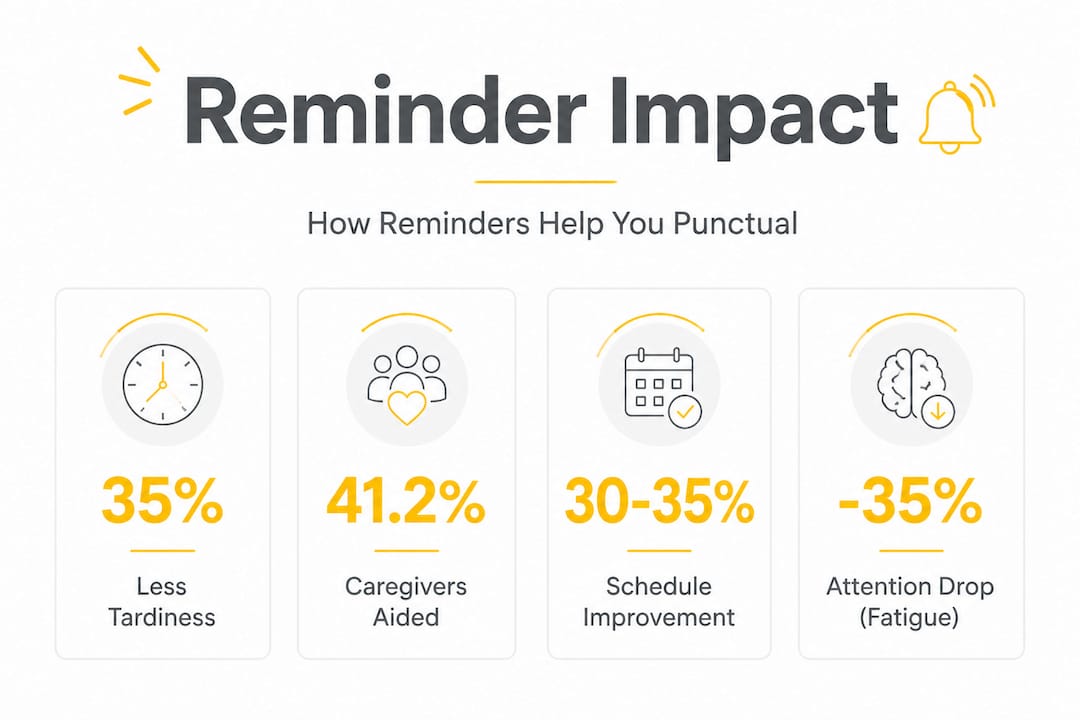
Most people think forgetting important tasks is a personal flaw, a sign of being careless or disorganized. But the reality is far more complicated. 41.2% of caregivers reported missing at least one medication dose or appointment in a six-month period, and these are people who genuinely care about doing right by others. The problem is not willpower or intention. It is the sheer volume of things that modern life demands you track simultaneously. Punctuality reminders are not a crutch. They are one of the most practical tools you can build into your daily routine.
Table of Contents
- The science behind punctuality reminders
- Real-world evidence: Who benefits most from reminders?
- How reminders actually prevent tardiness and missed deadlines
- Personalizing reminders: Avoiding fatigue and maximizing impact
- Tech spotlight: Using modern apps and features for smarter reminders
- The nuanced truth about reminders: Less is more and structure matters
- Build your own reminder routine with ReMoe
- Frequently asked questions
Key Takeaways
| Point | Details |
|---|---|
| Reminders reduce forgetfulness | Cognitive offloading through reminders frees up mental energy for busy people. |
| Personalization is critical | Customizing your reminders prevents fatigue and increases their effectiveness. |
| Shared systems boost reliability | Family and team reminders help ensure no critical task falls through the cracks. |
| Routine beats repetition | Combining reminders with daily routines and support is more powerful than sheer frequency. |
| Less is more for productivity | Sparse, well-timed reminders beat constant digital nudges for real results. |
The science behind punctuality reminders
Your brain is not a calendar. It was not designed to store dozens of time-sensitive tasks in perfect order while you also manage work meetings, school pickup, grocery runs, and medication schedules. When your mental load exceeds your brain's natural capacity, tasks slip. Not because you are careless, but because you are human.
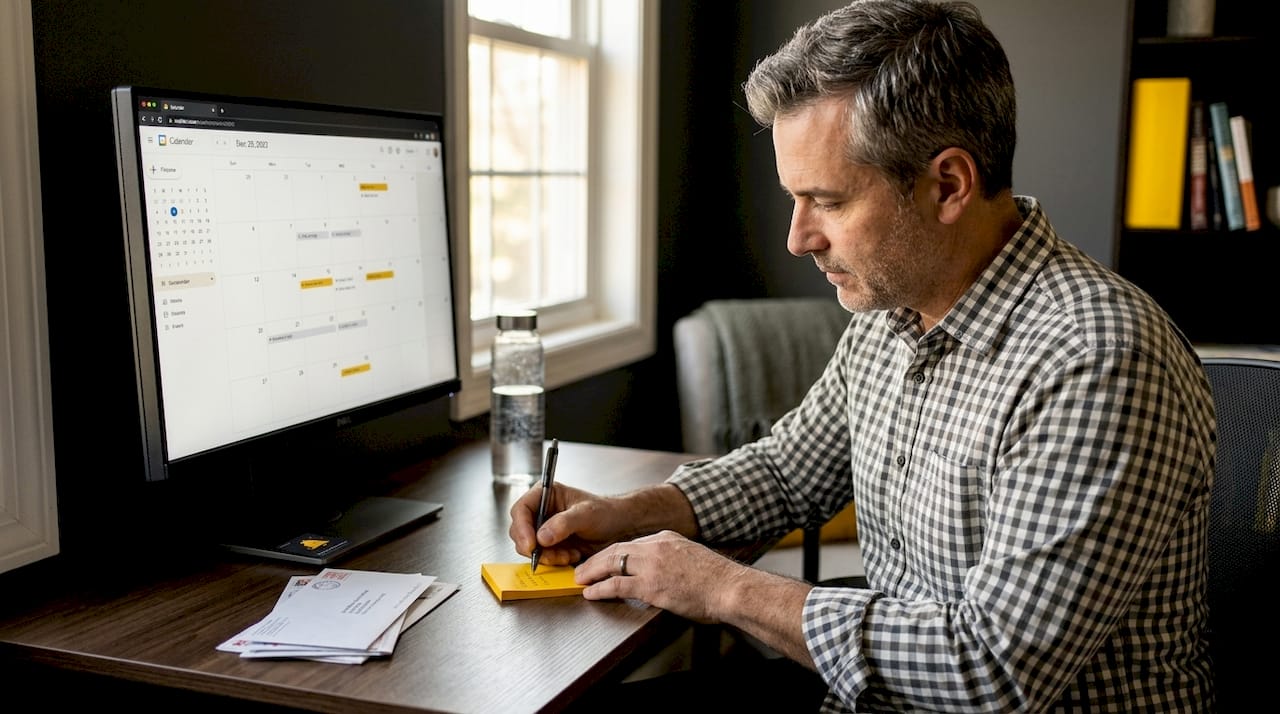
This is where cognitive offloading comes in. It simply means using an outside tool, like an app, a note, or a reminder, to store information so your brain does not have to. Research confirms that reminder systems improve prospective memory for busy individuals by enabling exactly this kind of offloading. When you offload the "remember to do X at Y time" burden onto an app, your working memory is free to focus on whatever is in front of you right now.
Think of it like this: trying to hold every task in your head is like running too many apps on a phone with limited RAM. Everything slows down, and things start crashing. Reminders close the background apps, so your focus runs smoothly.
Here is why effective reminder systems work so well for busy people:
- They reduce stress by eliminating the mental effort of trying to remember everything at once
- They build consistency by making important tasks automatic rather than effortful
- They improve multitasking by separating the "what to do" from the "when to do it"
- They reduce guilt by catching tasks before they become missed deadlines
- They create reliability for both you and the people depending on you
You can explore customizable reminder features that bring all of these benefits into a single, easy-to-use platform. Having everything in one place removes the friction that usually stops people from using reminder systems consistently.
Real-world evidence: Who benefits most from reminders?
Knowing that reminders help the brain is useful. But who actually needs them most, and what kinds of tasks are they missing? The data paints a clear picture.
Caregivers and working parents consistently top the list. 41.2% of caregivers missed a medication dose or appointment in a six-month period, yet 97% said they would welcome mobile reminders to help. That gap between what people need and what they currently have is striking. The demand is clear. The barrier is simply not having the right system in place.
Working parents face a different but equally real challenge. Morning routine conflicts from caregiving often derail even the most carefully planned schedules. A reminder to leave for school by 7:45 a.m. sounds simple. But when one child cannot find their shoes and another needs a lunch packed, that reminder buzzes and gets dismissed without action. Reminders matter, but they work best when the surrounding structure supports them.
Here are the daily tasks most commonly missed and by whom:
- Medication doses (caregivers, elderly adults, parents managing children's prescriptions)
- Bill due dates (busy professionals juggling multiple accounts)
- School events and pickup times (working parents with unpredictable work schedules)
- Medical and dental appointments (anyone who books them weeks in advance)
- Subscription renewals and auto-pay deadlines (remote workers and small business owners)
- Meeting prep and document deadlines (professionals in high-output roles)
| Role | Most missed task | Openness to reminders |
|---|---|---|
| Caregiver | Medication dose | Very high (97%) |
| Working parent | School pickup, appointments | High |
| Professional | Bill payments, deadlines | High |
| Elderly adult | Medical appointments | Moderate to high |
| Student | Assignment deadlines | Moderate |
"The solution is not simply to try harder. For most people, the solution is a smarter system that does the remembering for them."
If you have been in any of those roles, you already know this is real. The user-centric reminder features that work best are the ones built around how real people actually live, not idealized, frictionless versions of life.
How reminders actually prevent tardiness and missed deadlines
There is a common assumption that reminders are only useful for people who are chronically forgetful. The data suggests otherwise. Reminders benefit everyone operating under deadline pressure, including highly organized professionals.
In a healthcare study on operating room schedules, correcting schedule biases reduced tardiness by 30 to 35%. These were skilled surgical teams, not careless individuals. The tardiness came from systemic scheduling issues, not personal failings. Fixing the system fixed the outcome. The same logic applies at home and in the office.
Not all reminders are created equal. Here is how different styles compare:
| Reminder style | Effectiveness | Best for |
|---|---|---|
| Single static alert | Low to moderate | Simple, low-stakes tasks |
| Escalating multi-channel alerts | High | Medication, appointments, deadlines |
| Shared or family-based systems | High | Household tasks, school schedules |
| Subtask-based reminders | Very high | Complex projects with multiple steps |
The escalating multi-channel approach is especially effective. Instead of one buzz that is easy to dismiss, escalating reminders start gently and increase urgency as the deadline approaches. Combined with shared lists, the whole family or team stays on the same page without anyone needing to act as the designated nagger.
Here is a step-by-step look at how an effective reminder system transforms outcomes for real-world tasks:
- Identify the task and its real deadline. Do not just set a reminder for the due date. Set one for the preparation step, too.
- Choose the right timing. A bill reminder set for the day it is due is too late. Set it three days early.
- Add context to the alert. Instead of "Pay bill," write "Pay electric bill, $120, account ending 4422." Specific messages prompt action. Vague ones get dismissed.
- Use escalation for high-stakes items. First reminder two days before, second reminder the day before, final reminder the morning of.
- Assign shared reminders for family tasks. If both parents share a reminder for a school event, neither can assume the other has it handled.
Pro Tip: The moment a reminder becomes a habit to dismiss without acting on, change it. Update the message, the time, or the delivery method. A reminder that no longer prompts action is just background noise.
Personalizing reminders: Avoiding fatigue and maximizing impact
Here is a problem almost every heavy reminder user has run into: too many notifications, and suddenly none of them feel urgent. You start ignoring them. The very tool designed to keep you on track becomes part of the noise you tune out.
Research shows that excess digital time cues can cause attention residue, dropping working memory by 35%. That means too many reminders can actually make you less productive, not more. The goal is not to be reminded of everything. It is to be reminded of the right things at the right moments.
Studies also confirm that effective reminders require personalization to avoid fatigue. One-size-fits-all notification strategies almost always backfire, especially for people managing complex, overlapping responsibilities.
Here are practical personalization tips to keep your reminders effective:
- Match the timing to your actual routine. A reminder at 6 a.m. is useless if you never check your phone before 8 a.m.
- Choose the right delivery channel. Some tasks need a phone buzz. Others need an email. Urgent ones might need both.
- Write specific, actionable message content. Replace "Doctor appointment" with "Dr. Patel, 2:30 p.m., bring insurance card, 20-minute drive."
- Use shared alerts for tasks that involve others. Do not be the only person who knows the school play is Thursday.
- Limit the total number of daily reminders. If everything feels urgent, nothing does. Prioritize ruthlessly.
Pro Tip: Once a month, review all your active reminders. Delete the ones you dismiss without acting on. Rewrite the ones that feel too vague. A lean, accurate reminder system beats a bloated, ignored one every single time.
You can set up exactly this kind of lean, targeted system with reminder customization options that let you control timing, message content, escalation, and sharing. The difference between a reminder that prompts action and one that gets swiped away is almost always in the details.
Tech spotlight: Using modern apps and features for smarter reminders
Modern reminder apps have moved well beyond a simple buzzing alarm. The best ones now function more like a personal assistant, one that tracks subtasks, organizes by category, shares lists with family, and escalates alerts when deadlines approach.
Apple Reminders, for example, supports subtasks, tags, smart lists, templates, shared lists, and urgent alarms. Most users only scratch the surface of what these tools can do. Using the full feature set transforms a simple notification into a structured system that mirrors how complex real-life tasks actually work.
Here is how to set up a smarter reminder routine using any modern app:
- Create a shared list for family or household tasks. Include everyone who shares responsibility, so no single person carries all the mental load.
- Break big tasks into subtasks. Instead of "Prepare for annual review," create subtasks: collect data, draft summary, schedule meeting, send calendar invite.
- Use tags or categories. Group reminders by area of life: health, finances, family, work. This makes it easy to see what is urgent in each category at a glance.
- Set location-based reminders where possible. "Remind me to pick up prescriptions when I leave work" is more useful than a fixed time that may not align with your actual schedule.
- Test one advanced feature this week. If you have never used subtasks or shared lists, start there. One new feature, adopted well, is worth more than five features used inconsistently.
The goal of all this technology is to take the invisible, exhausting mental work of remembering and make it visible, manageable, and shared. Explore modern reminder solutions that bring all these features into one platform built for real life, not idealized productivity experiments.
The nuanced truth about reminders: Less is more and structure matters
Here is something that most articles about productivity reminders will not tell you: reminders are not a substitute for structure. They are most powerful when they reinforce habits that already exist, not when they are trying to create them from scratch.
Research on families confirms that fixed routines outperform flexible reminders. When parents know that every Tuesday at 6 p.m. is prescription refill time, the reminder is just a gentle nudge to an established habit. When there is no routine underneath, even the best reminder app becomes a source of friction, something to override or dismiss because the surrounding context does not support action.
The uncomfortable truth is that technology can only do so much. Reminders work best when you have already built a life that makes acting on them possible. That means realistic schedules, boundaries around your time, and, where possible, shared responsibility with the people around you. Human support and social accountability still outperform any app when the stakes are highest.
The practical takeaway here is to build the framework first. Set your routines, establish your habits, identify your non-negotiables. Then layer reminders on top to reinforce those structures. Use them as a safety net, not as the entire scaffolding. And if you find yourself constantly dismissing a reminder without acting, that is not a problem with your app. It is a signal that something in your routine or environment needs to change first.
User-centric approaches that combine flexible technology with structure-aware design are the ones that actually stick for busy families and professionals.
Build your own reminder routine with ReMoe
You now have a clear picture of how reminders work, who needs them, and what separates effective systems from the ones that end up ignored. The next step is putting it all into practice.
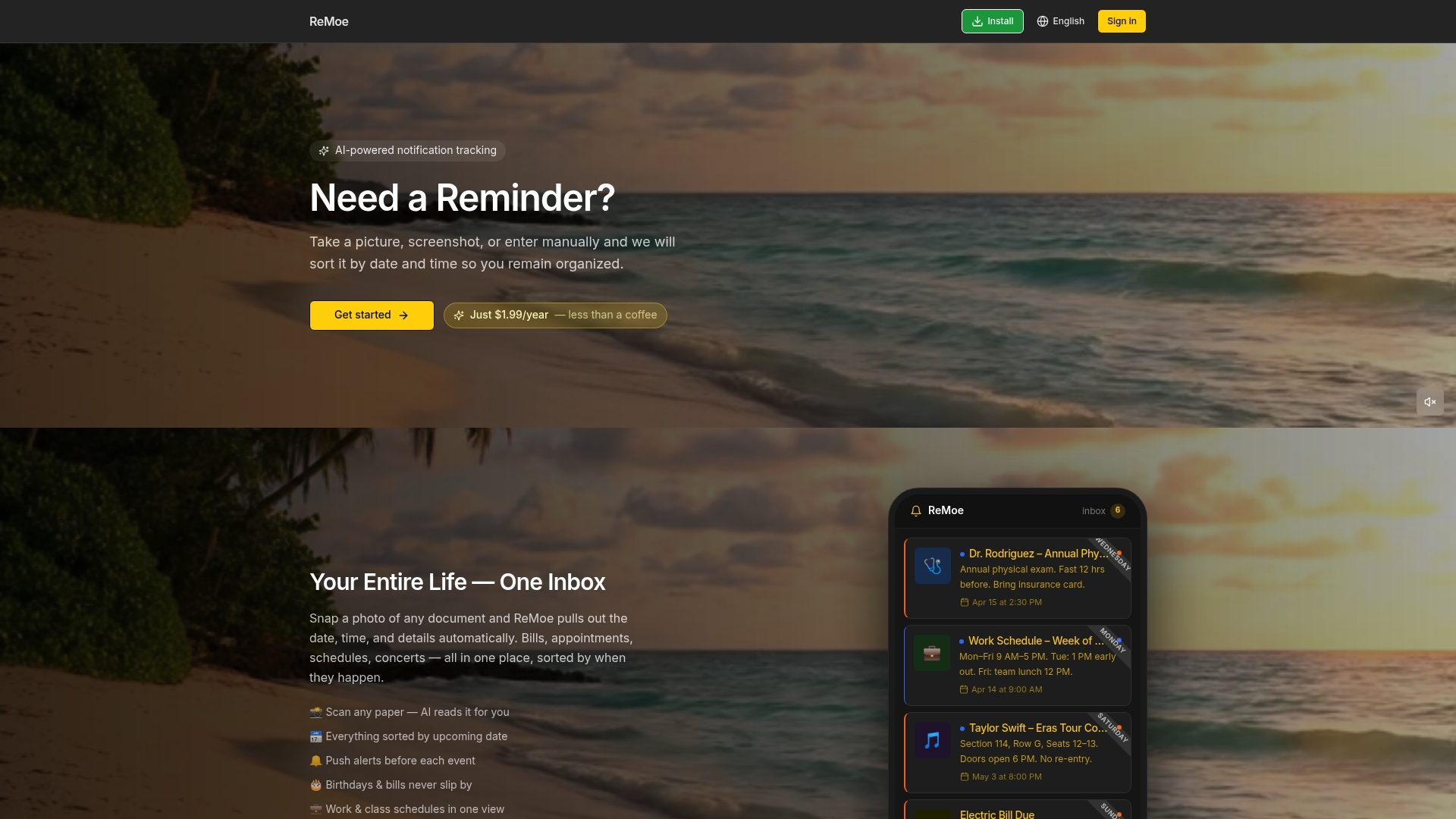
ReMoe is built for exactly the kind of real-life complexity this article covers. Whether you are managing medication schedules, tracking bills, staying on top of school events, or just trying not to leave the house without everything you need, ReMoe brings it all together in one place. No more juggling five different apps or hoping a sticky note survives the morning chaos. You can try ReMoe for smarter reminders and start building a system that actually keeps up with your life. Your routines deserve a tool designed around how you actually live.
Frequently asked questions
What is cognitive offloading in the context of reminders?
Cognitive offloading is the process of using reminders to store information outside your brain, freeing mental space for other tasks. Research confirms that this directly improves time-based memory performance for busy individuals.
Why do digital reminders sometimes fail to help parents?
Reminders alone are less effective for parents without support systems or structured routines to handle the conflicts and disruptions that derail action. Caregiving conflicts mean that even a perfect alert can be overridden by an immediate family demand.
How can I avoid notification fatigue from too many reminders?
Personalize your reminders by limiting frequency, writing specific actionable messages, and auditing your active list monthly. Excess cues can cause a 35% drop in working memory, making pruning your reminder list just as important as adding to it.
Are shared reminder systems helpful for families?
Yes, family-shared reminder systems improve reliability and prevent missed appointments by distributing the responsibility across everyone involved rather than relying on one person to remember everything.
What is the best way to set up effective reminders for medication?
Use escalating alerts that increase in urgency as the dose time approaches, and combine app reminders with caregiver or family involvement when possible. 97% of medication caregivers said they would welcome this kind of mobile support.
Recommended
- ReMoe — AI Reminder App for Bills, Schedules & Appointments | $1.99/yr
- ReMoe - Never Miss a Reminder
- ReMoe — AI Reminder App for Bills, Schedules & Appointments | $1.99/yr
- Top Scheduling Tips for Teams: Boost Productivity in 2025 | Gammatica
- Time management for business owners: proven strategies | Ready Accounting