

You set a reminder for your dentist appointment. The notification pops up while you're on a call, you swipe it away, and two hours later you're still at your desk while someone else sits in your chair. Sound familiar? Single reminders fail people every single day, not because the technology is broken, but because one alert at the wrong moment is easy to ignore, miss, or forget entirely. Multi-reminder systems change that equation by building layers of alerts that work together, so the things that matter most to you and your family never slip through the cracks. This guide breaks down exactly how these systems work, where they help most, and how to set one up without overcomplicating your life.
Table of Contents
- What is a multi-reminder system?
- Common use cases for families and individuals
- How multi-reminder systems work: Timing, delivery, and escalation
- Choosing and consolidating your multi-reminder tools
- Why most people set reminders wrong (and how to do it right)
- Ready to streamline your day? Try a dedicated multi-reminder solution
- Frequently asked questions
Key Takeaways
| Point | Details |
|---|---|
| One alert isn’t enough | Multi-reminder systems use several alerts at different times to ensure nothing gets missed. |
| Keep it consolidated | Gather all reminders in one system to avoid confusion and increase follow-through. |
| Escalation boosts reliability | Miss an alert? Multi-reminder systems escalate urgency until you take action. |
| Simple setup is possible | Most platforms now provide easy ways to connect reminders, calendars, and automation. |
What is a multi-reminder system?
A multi-reminder system is not just a single notification set to repeat. It is a structured approach that sends several alerts at different times, using different delivery methods or escalating urgency levels, all tied to one task or event. The goal is simple: if one alert fails to reach you, another one will.
Think of it like a backup plan with a backup plan. A one-time ping at 9:00 AM might get buried under email noise. But a reminder the evening before, another the morning of, and a final nudge 30 minutes before the event? That combination is hard to miss.
Multi-reminder setups typically combine repeat and recurrence rules with delivery timing variations, such as early reminders, snooze features, escalation logic, or multiple alerts sent across a task's timeline, rather than relying on a single one-off notification. That mechanical layering is what separates a real multi-reminder system from simply hitting the snooze button.
| Feature | Simple reminder | Multi-reminder system |
|---|---|---|
| Number of alerts | One | Multiple, staged alerts |
| Timing flexibility | Fixed time only | Early, day-of, last-minute |
| Escalation | None | Increases urgency if ignored |
| Recurrence | Manual reset | Automatic recurring rules |
| Delivery variation | Single channel | Multiple methods possible |
A common misconception is that snoozing counts as a multi-reminder system. It does not. Snoozing delays the same alert. A genuine multi-reminder system pre-plans different moments for different alerts, so you are not relying on yourself to remember to snooze in the first place.
"The moment you rely on a single alert for something critical, you are betting on perfect conditions: full attention, no distractions, and a perfectly timed notification. Multi-reminder systems remove that bet entirely."
Looking at AI reminder app details can give you a clearer picture of how modern tools bring these features together in one place.
Common use cases for families and individuals
Having defined multi-reminder systems, let's see how they play out in the everyday lives of individuals and families. The applications are wider than most people initially expect, and the reliability gains show up quickly once you start building them into your routine.
Here are the most common categories where multi-reminder systems deliver real, measurable value:
- Medical and medication reminders: Taking a daily pill at the same time each day sounds simple until a busy morning throws off the routine. Multiple reminders, timed around when you typically wake up and eat breakfast, dramatically reduce missed doses.
- Bill payments and financial due dates: A single reminder set for the due date leaves zero buffer. A system that alerts you five days out, then two days out, then the morning of, means you always have time to act before penalties kick in.
- Children's school schedules: Permission slips, spirit days, early dismissals, and parent-teacher conferences all carry hard deadlines. Missing one can affect your child directly. A layered reminder system keeps the whole family on the same page.
- Recurring household chores: Changing furnace filters, scheduling pest control, rotating car tires. These tasks are infrequent enough to forget but important enough to matter. Recurring multi-reminders put them on autopilot.
- Appointments and reservations: Doctor visits, haircuts, car service appointments. A reminder the day before and one two hours before means you show up without scrambling.
- Birthday and anniversary reminders: One reminder on the day itself is often too late to do anything meaningful. A reminder a week out gives you time to plan something thoughtful.
Consolidating reminders and tasks across a single platform rather than scattering identical reminders across many apps is the smarter approach, because duplicates across different tools create confusion and add maintenance overhead that most families simply do not have time for.
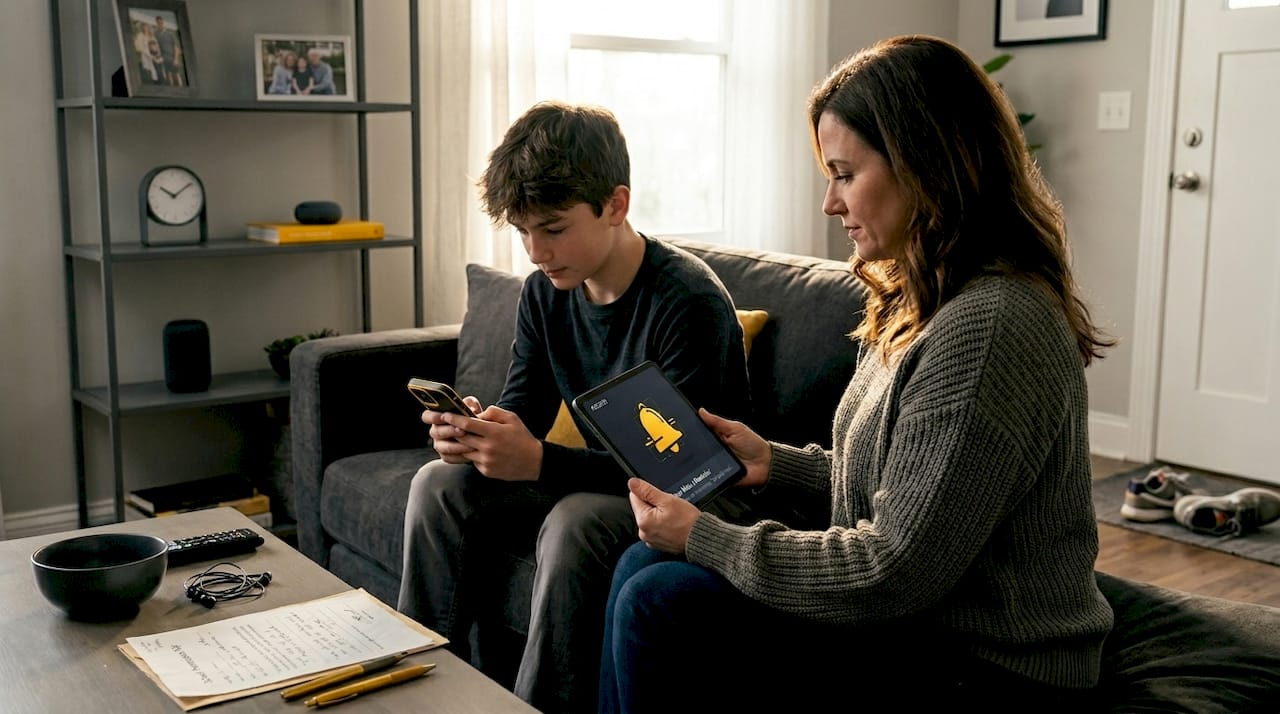
When reminders live in five different apps, you spend cognitive energy managing the system instead of just living your life. Consolidation solves that. It means one place to check, one place to update, and one place where everything that matters to you actually lives.
Pro Tip: Set at least two reminders for any family event that requires coordination, one 48 hours out for planning and one two hours before for execution. This simple habit cuts last-minute stress dramatically and gives everyone enough time to adjust if plans change.
A never miss a reminder approach is not about obsessing over your phone. It is about designing a system smart enough that you do not have to.
How multi-reminder systems work: Timing, delivery, and escalation
With a sense of where and why families use these systems, let's break down what actually happens behind the scenes each time a reminder is set. Understanding the mechanics helps you configure your system correctly instead of just hoping it works.
Timing variations are the foundation. A well-designed multi-reminder does not just fire at one moment. It staggers alerts across a logical timeline. For a doctor appointment at 3:00 PM on Friday, a strong timing strategy might look like this:
- Set the anchor reminder for the appointment itself with all relevant details: time, location, any prep instructions.
- Add an early warning 24 to 48 hours before, so you can confirm, adjust your schedule, and prepare anything needed.
- Schedule a same-day reminder in the morning, giving you a full-day heads-up to build your schedule around the event.
- Add a final alert 30 to 60 minutes before the appointment, which serves as your "get moving" nudge.
- Enable escalation if the platform supports it, so that if the 30-minute alert is not acknowledged, the system follows up again at the 15-minute mark.
Repeat and recurrence rules combined with delivery timing variations are what make this kind of staged alert sequence possible in an automated way, rather than you manually creating each individual notification.
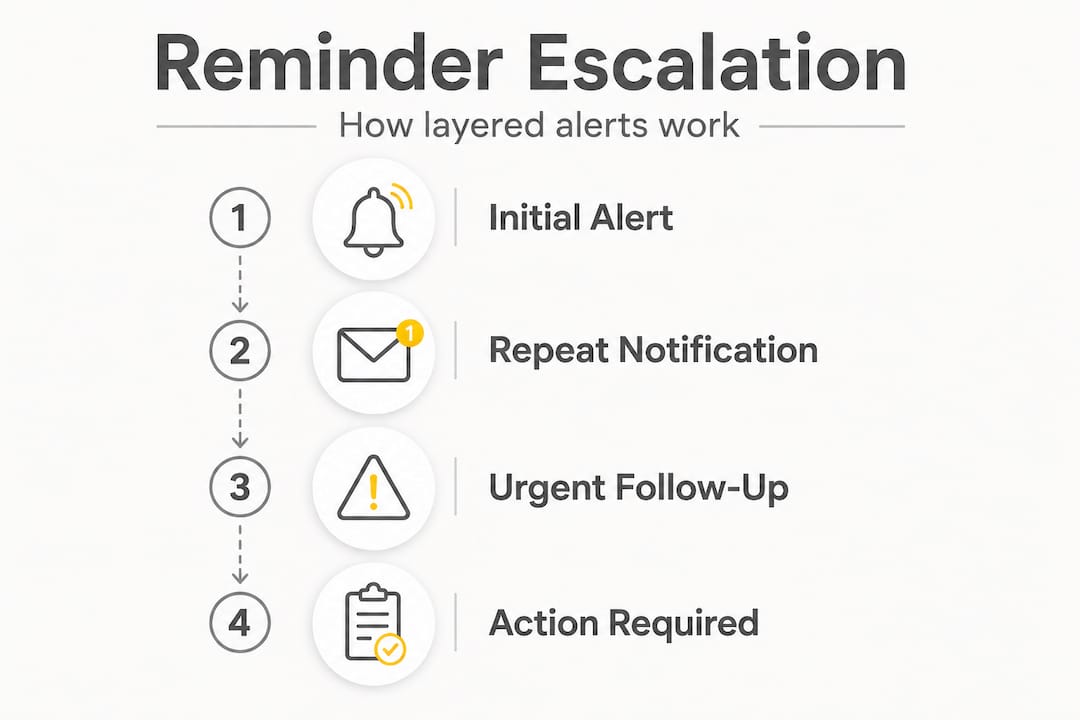
Escalation logic is the next level. Most basic reminder apps simply notify you once. If you ignore it, that's the end. Escalation-capable systems track whether you acknowledged the alert and, if not, send a follow-up that may be louder, more frequent, or delivered through a different method. This matters most for genuinely critical tasks, like making sure a child is not left in a vehicle, remembering an insulin dose, or catching a flight.
| Factor | Single reminder | Multi-reminder with escalation |
|---|---|---|
| What happens if ignored | Nothing | Follow-up alert fires |
| Urgency increase | None | Escalates based on rules |
| Acknowledgment required | No | Optional but trackable |
| Reliability for critical tasks | Low | High |
| Human dependency | High | Low |
Delivery timing also means choosing when, not just how many times. An alert at 2:00 AM is useless. A reminder timed around your natural daily rhythms, morning coffee, lunch break, or evening wind-down, gets seen when you can actually act on it. Good multi-reminder platforms let you customize delivery windows so your alerts land when they are useful, not just when the clock hits a number.
See pricing for multi-reminder features to understand which platforms offer escalation and timing customization at different tiers.
Choosing and consolidating your multi-reminder tools
Understanding the mechanics and pitfalls, the next step is deciding which reminder ecosystem works best for your life, and why less can genuinely be more when it comes to managing alerts.
The single biggest mistake people make is using too many apps. One for work tasks, one for family calendars, one for medication, one for bills. Every additional app adds friction. You have to remember to check each one, update each one, and reconcile conflicts between them. That is more mental load than the reminders were supposed to reduce.
Selecting one primary system and avoiding multiple apps for identical purposes is the most consistent recommendation from productivity experts. Platforms that integrate with your calendar and connect to automation tools deliver the most reliable experience with the least ongoing maintenance.
Here are the key questions to ask before committing to a reminder platform:
- Does it support multiple alerts per task? If it only allows one reminder per item, it is not a true multi-reminder system.
- Does it offer recurring reminders? Weekly bills, monthly prescriptions, and annual events need automatic recurrence without manual resetting.
- Does it integrate with your calendar? Disconnected tools create gaps. Integration means your appointments and reminders live in one visible timeline.
- Can the whole family access it? A reminder that only one person sees does not protect the whole household.
- Does it escalate or follow up on unacknowledged alerts? For truly critical tasks, passive notifications are not enough.
- Is the setup simple enough that you will actually use it? The most powerful system is worthless if the complexity makes you abandon it after a week.
Pro Tip: Start with one platform and use it for everything for at least 30 days before adding any integrations or automation. You will quickly learn what your real gaps are, and then you can layer in complexity where it actually helps, instead of where you just assume it might.
Choosing the right reminder plan depends on the size of your household, the complexity of your schedule, and whether you need features like shared family reminders or escalation alerts for critical tasks.
Why most people set reminders wrong (and how to do it right)
Here is a reality most reminder guides skip entirely: the problem is rarely that people forget to set reminders. The problem is that they set reminders in a way that practically guarantees failure.
The most common mistake is spreading reminders across too many platforms. Work tasks in one app, family events in the phone calendar, bills in a notes document, and medication reminders in a health app. Each system works fine in isolation, but together they create a fragmented mess that nobody can maintain consistently. You end up ignoring half of them because you are too overwhelmed to engage.
The second mistake is setting reminders without linking them to action. A notification that says "doctor appointment" fires and you think "yeah, I know" and dismiss it without confirming your route, verifying the time, or checking if you need to bring anything. The reminder did its job technically, but it did not actually help you prepare. The fix is to write reminders that include the one action required, not just the event name.
The third mistake, and this one is subtle, is treating reminder frequency as a substitute for a reliable system. People who set 12 reminders for everything often do so because they do not trust their system. That distrust is warranted if the system is a patchwork of unconnected tools. The answer is not more reminders. It is one better system.
What actually gets results is building a routine around your reminder system instead of fighting against it. Never miss a reminder is not a slogan about technology. It is a habit of designing your days so that important things get the structured attention they deserve, not just a hasty ping that you swipe away between meetings.
Reliability and routine beat complexity every time. A simple system you trust is worth more than a sophisticated system you ignore.
Ready to streamline your day? Try a dedicated multi-reminder solution
If you have made it this far, you understand the difference between a single notification and a truly layered reminder system. The next step is choosing a platform that actually matches how your life works.
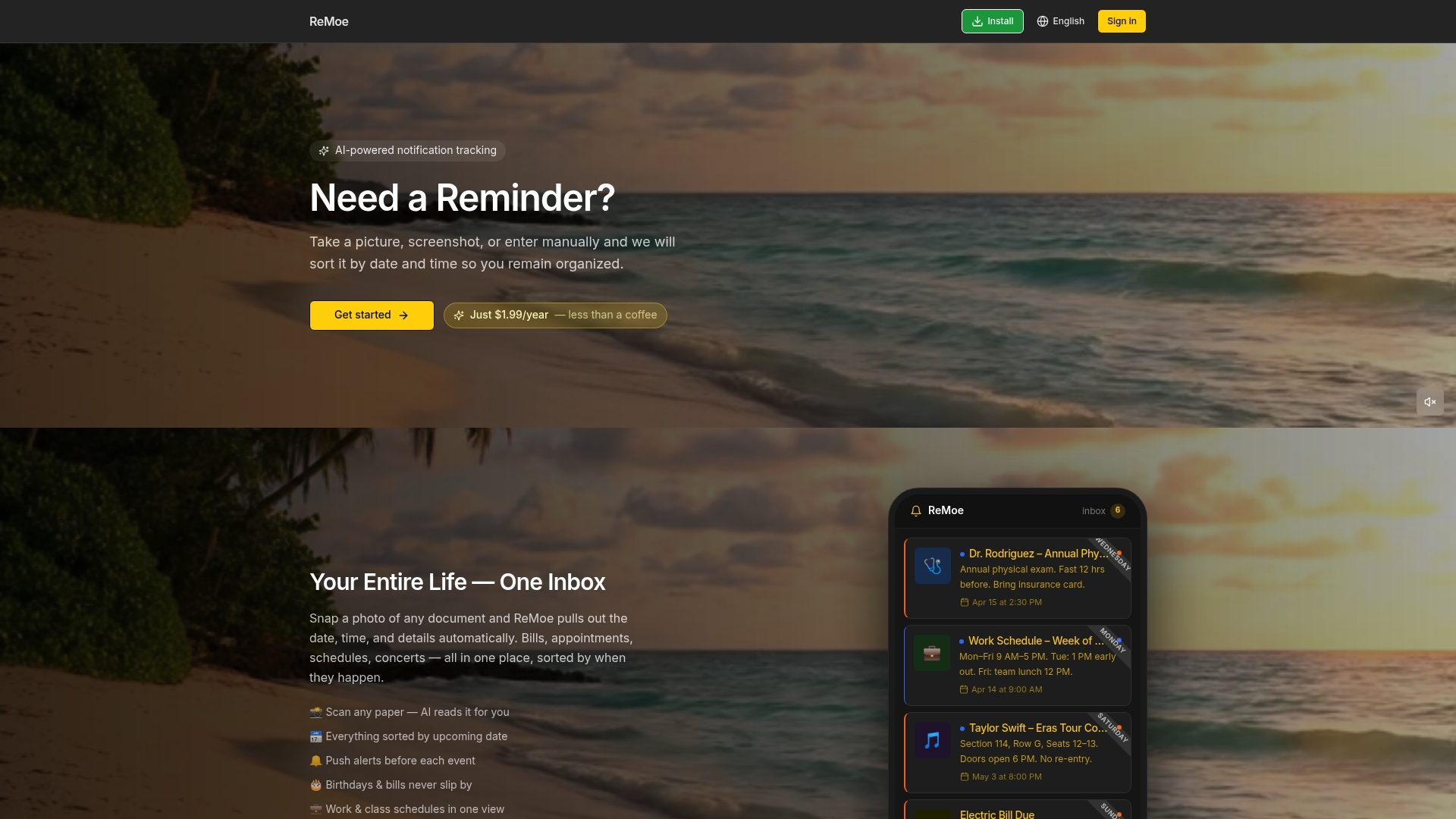
Remoe is built exactly for the kind of life this guide describes: medication schedules, school events, bill due dates, family coordination, and all the other things that are genuinely important but easy to let slide. Instead of managing five different apps that barely talk to each other, Remoe puts your whole life in one place. One system, one habit, zero dropped balls. Explore the AI reminder app to see how automated, layered alerts work in practice, or try ReMoe now to get started today. You can also view pricing to find the plan that fits your household's needs.
Frequently asked questions
What makes a multi-reminder system more reliable than a single alert?
Multi-reminder setups combine recurrence rules and timing variations so alerts fire at multiple points and escalate if ignored, making it far harder for critical tasks to go unnoticed.
Should I use different apps for family reminders and personal tasks?
No. Consolidating across one system avoids the confusion and maintenance overhead that comes from scattering identical reminders across multiple apps.
How do escalation reminders work if I ignore an alert?
If an alert goes unacknowledged, escalation features send additional or more urgent follow-up notifications until you confirm or complete the task.
Are automated reminder tools difficult to set up?
Most modern platforms offer guided setup with calendar and task integration built in, so the initial configuration is usually straightforward even for non-technical users.