

You set three alarms, added a sticky note to the fridge, dropped a pin in your calendar, and still missed your kid's school pickup. Sound familiar? Most busy people aren't struggling because they lack tools. They're struggling because they have too many tools that don't talk to each other. An integrated reminder system changes that equation by pulling every category of your life into one organized place, cutting through the noise so you can actually act on what matters. This guide breaks down exactly how that works, where it can go wrong, and how to find your personal sweet spot.
Table of Contents
- What are all-in-one reminder systems?
- Key benefits: Why choose an all-in-one solution?
- The hidden costs: Complexity and app fatigue
- Alternatives: When simpler reminder tools are better
- Finding your best-fit reminder strategy
- Why most people get reminders wrong and how to actually succeed
- Ready to streamline your reminders?
- Frequently asked questions
Key Takeaways
| Point | Details |
|---|---|
| Centralization saves time | Using a single reminder app helps avoid juggling multiple tools and reduces missed tasks. |
| Beware of complexity | Too many features or steps can turn helpful apps into frustrating chores. |
| Simplicity often wins | Sometimes, basic device reminders are best for reliability and ease of use. |
| Fit is personal | The best reminder system matches your habits, not just its list of features. |
| Regular review is key | Clear out old reminders frequently to keep your system useful and stress-free. |
What are all-in-one reminder systems?
Before you switch apps or overhaul your whole routine, it helps to understand what "all-in-one" actually means in practice. These systems aren't just glorified alarms. They're platforms designed to hold every category of your daily life in a single location.
Think about the range of things you currently track across different places:
- Medical reminders like daily medication, prescription refills, and upcoming appointments
- Financial deadlines like monthly bills, insurance renewals, and tax due dates
- Family logistics like school schedules, after-school pickups, and sports practice
- Household tasks like appliance maintenance, grocery orders, and deep cleaning
- Work commitments like project deadlines, calls, and recurring team meetings
A solid all-in-one system holds all of that in one view. The core features you should expect include cross-device syncing (so your phone, tablet, and desktop all show the same data), smart notifications that fire at the right time and place, categorized lists that separate health from finances from family, and a shared calendar that works for everyone in the household.
What separates these from the default clock app on your phone? Depth and integration. A basic alarm tells you something is happening. A real all-in-one system tells you what is happening, who it involves, how to prepare, and when to follow up.
That said, all-in-one apps can become complex and increase maintenance demands over time. More features mean more setup, more decisions, and more potential for clutter. This is worth keeping in mind before you dive in.
Key benefits: Why choose an all-in-one solution?
Now that you know what these systems are, let's explore why people make the switch and who benefits most.
The biggest win is clarity. When your reminders live in a single dashboard, you stop playing mental gymnastics trying to remember which app holds which task. You open one screen and see your entire week. That visibility alone reduces anxiety and helps you prioritize.

Reduced notification chaos is the second major benefit. Most people are drowning in pings from five different apps, many of which overlap or conflict. Consolidating everything eliminates duplicate alerts and lets you set smarter notification rules. One well-timed reminder beats four scattered ones that you learn to ignore.
Time savings stack up quickly, too. Switching between a to-do app, a calendar, a medication tracker, and a notes app eats more time than most people realize. Fewer app transitions mean faster access and more mental bandwidth for the things that actually require your attention.
For families, the shared functionality is a game-changer. When your partner can see that the water bill is due Thursday and your daughter has a dentist appointment Friday, everyone stays aligned without a single text thread. Single app organization at the family level is one of the strongest arguments for going all-in-one.
Here's a quick comparison to put it in perspective:
| Factor | All-in-one system | Multiple single-use apps |
|---|---|---|
| Ease of access | One login, one screen | Multiple logins, multiple screens |
| Notification control | Centralized | Scattered, easy to miss |
| Family sharing | Built-in, real-time | Requires extra coordination |
| Setup time | Higher upfront | Lower upfront |
| Long-term maintenance | Lower if managed well | Higher as apps multiply |
| Cost | Often one subscription | Multiple subscriptions can add up |
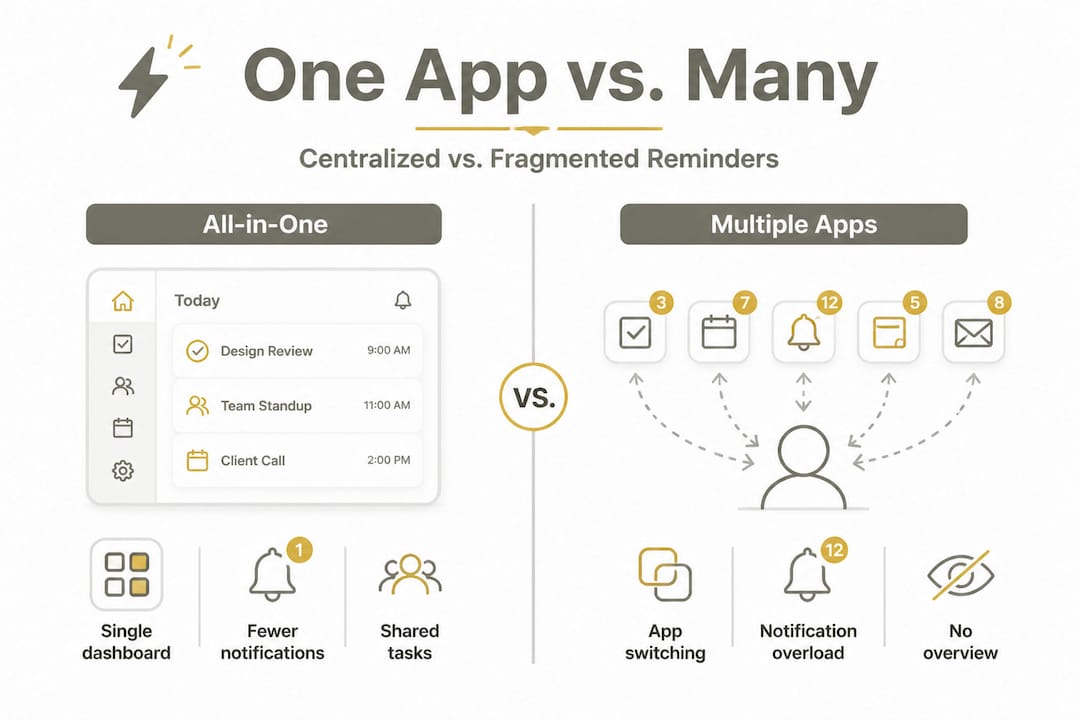
All-in-one reminder tools can genuinely improve productivity and task management when they match the user's lifestyle. The key word there is "match."
Pro Tip: Before switching to an all-in-one platform, list every reminder category you currently manage across all tools. If you count five or more, you're almost certainly losing time and missing things. That list is your ROI case for making the switch.
The hidden costs: Complexity and app fatigue
With all those benefits, is there a catch? Let's get honest about what can go wrong.
The most common complaint people have after adopting a feature-rich reminder platform is friction. When adding a simple reminder requires selecting a category, assigning a priority, setting a recurrence pattern, choosing a notification tone, and adding a note, most people give up and set a basic alarm instead. The irony is painful: the tool built to help you remember things becomes the thing you avoid.
Complex dashboards raise the psychological barrier to entry. When you open an app and feel a tiny moment of "ugh, where do I even start," that's friction. And friction kills habits. Over time, you stop logging new reminders, old ones pile up unchecked, and the whole system becomes a graveyard of tasks that never got done.
"The majority of people stop using bloated apps once they hit the point where maintaining the system feels like a second job." This pattern shows up repeatedly in user behavior research around productivity apps and is one of the core reasons people abandon complex reminders.
Here are the warning signs that your reminder system is working against you:
- You regularly dismiss reminders without acting on them
- Your task list hasn't been reviewed in more than a week
- You still use sticky notes alongside the app
- Setting a new reminder takes more than 30 seconds
- You feel dread when you open the app instead of clarity
All-in-one apps can become complex and increase maintenance demands, which directly causes abandonment. This isn't a character flaw. It's a design problem. The best systems anticipate this and keep the input process as fast and frictionless as possible.
Pro Tip: If your reminder app requires more than three taps to log a new task, it's probably too complex for daily use. The best habit tools are the ones that get out of your way.
Alternatives: When simpler reminder tools are better
For some, simplicity is key. Let's look at when a lighter, native reminder might actually work better than an all-in-one platform.
Not everyone needs the full suite. If you have a predictable schedule, live alone, and only need to track five to ten recurring tasks, a complex platform is overkill. Your phone's built-in reminder app, a voice assistant like Siri or Google Assistant, or a lightweight to-do list like Apple Reminders or Google Tasks might give you everything you need with zero setup friction.
Lower-friction delivery, including native reminders and text-based tools, is often more reliable for many users over the long term. Simpler tools are faster to update, easier to clear, and less likely to get abandoned.
Here's a scenario-based breakdown to help you see which approach fits:
| Scenario | Better fit |
|---|---|
| Single adult, 5 or fewer recurring tasks | Native phone reminders |
| Family of four with shared schedules | All-in-one platform |
| Managing daily medication | Dedicated med tracker or all-in-one |
| Occasional to-do lists | Voice assistant or basic app |
| Multiple bills, subscriptions, deadlines | All-in-one platform |
| Infrequent, one-off reminders | Stock clock or calendar app |
To know when to go simpler, work through this checklist:
- Count your active reminders. If you have fewer than eight across all categories, a simple tool probably covers you.
- Check your follow-through rate. If you're completing most reminders you set, your current system is working.
- Measure your setup time. If adding a reminder takes under 10 seconds, you don't need an upgrade.
- Evaluate overlap. If you rarely forget things and don't coordinate with others, complexity adds no value.
- Ask how often you actually review your tasks. If daily review feels burdensome, simpler is better.
The goal is not the fanciest tool. The goal is the tool you'll actually use every single day.
Finding your best-fit reminder strategy
Whether you lean simple or all-in-one, here's how to decide and set yourself up for reminder success.
Start with your biggest friction points. Don't start with features. Ask yourself: where do things fall through the cracks most often? Is it medication timing? Bill due dates? School schedule conflicts? Your answer tells you what categories need the most support and what kind of system can actually provide it.
- Map your reminder categories. Write down every area of life that currently requires a reminder. Health, finances, family, work, and home are the five most common buckets.
- Identify who else is involved. If you're coordinating with a spouse, kids, or roommates, shared access is non-negotiable.
- Test the simplest solution first. Before downloading a feature-heavy app, spend one week trying your phone's built-in tools at full capacity. You may already have what you need.
- Scale up only if you hit a wall. If the simple tool can't handle recurring reminders, shared categories, or cross-device syncing, then move to an all-in-one platform.
- Set a two-week review. After adopting any new system, check in with yourself. Are you actually using it? Are things falling through less often? If not, adjust.
Simpler approaches can help people maintain use over time, while overly complex systems drive app abandonment. The best strategy is the one that fits your actual behavior, not your ideal behavior. Most people overestimate how much complexity they can maintain.
Learning how to pick a reminder system that matches your real life is the most useful thing you can do before spending time on setup.
Why most people get reminders wrong and how to actually succeed
Here's an uncomfortable truth worth saying out loud: most people approach reminders the same way they approach gym memberships. They sign up with great intentions, overcommit to a complex system in the first week, and quietly abandon it by week three.
The problem isn't discipline. It's design. When people go hunting for the "perfect" reminder app, they often end up spending more time researching tools than actually using them. That research spiral is its own form of procrastination. You feel productive while setting up a system, but the actual work of maintaining it starts the moment setup ends.
What actually works, based on real patterns from people who manage busy families and demanding jobs, is a system that costs almost nothing mentally to maintain. The entry cost for adding a new reminder should be near zero. If you have to think about which category to use, which priority level applies, or which notification style to pick, you've already lost. You'll start defaulting back to texting yourself.
The other thing most people get wrong is treating their reminder system as a dump zone instead of a live tool. Real-world reminder success comes from short, regular review sessions, not from adding more features or more reminders. Five minutes every Sunday to review, clear, and reset your reminder list is worth more than any premium feature set.
Personalization also matters more than people admit. Some people need visual cues. Others need audio alerts. Some work better with weekly planning, others need daily quick-checks. No tool covers all of these needs out of the box. You have to shape it to fit your actual habits, not the habits you wish you had. The reminder system that works is the one you don't have to think about using because it already matches how your brain operates.
Less is genuinely more here. A system with ten active, relevant reminders that you review and act on is infinitely more valuable than a system with eighty reminders that you scroll past every morning.
Ready to streamline your reminders?
If the idea of one place for everything sounds like relief rather than more work, you're ready for what ReMoe was built to do. ReMoe keeps everything that matters in a single, easy-to-navigate space: medication schedules, bill due dates, school calendars, family logistics, and any daily essential that tends to slip through the cracks.
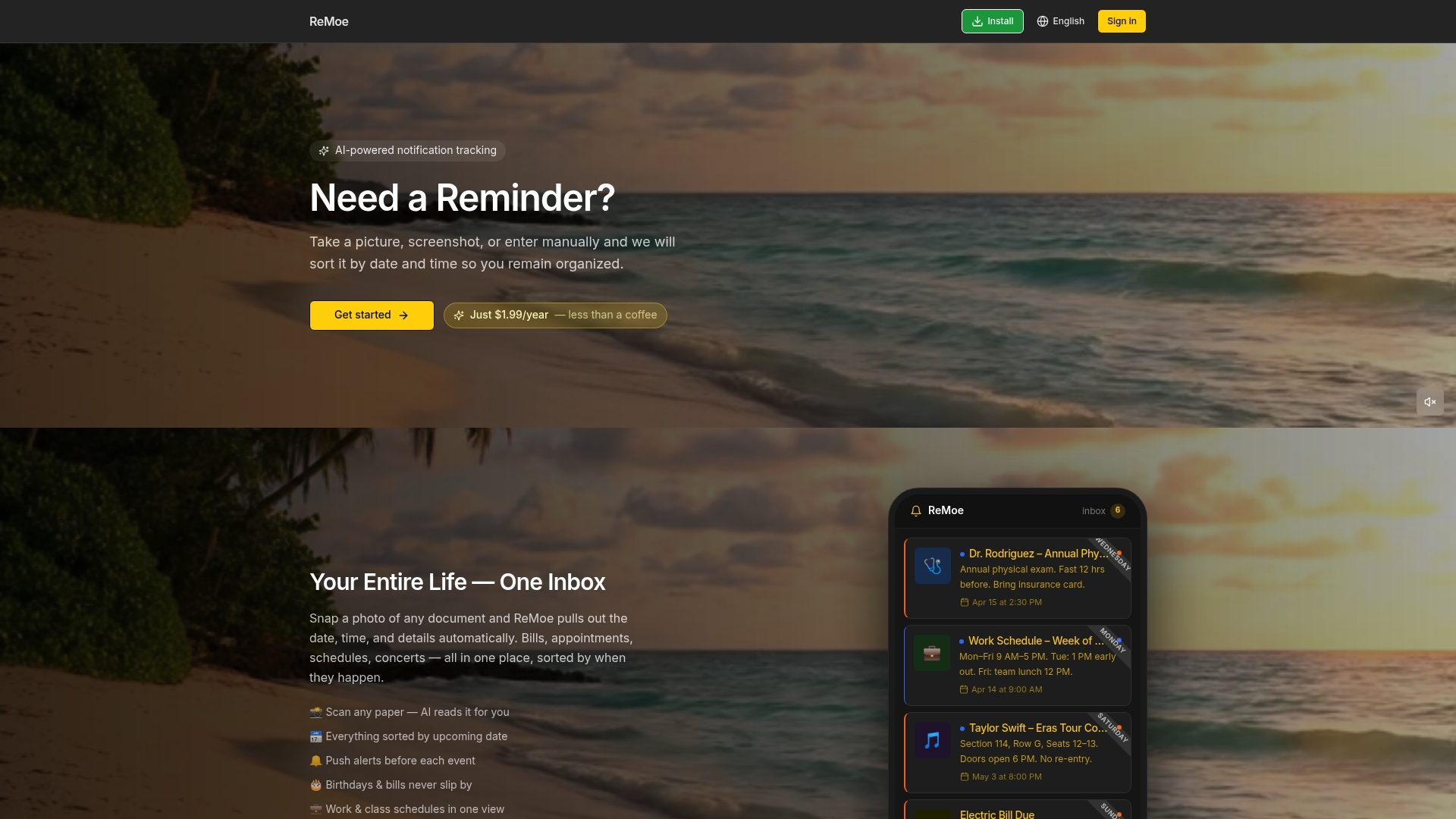
There's no steep learning curve, no bloated feature set to fight through, and no switching between apps to piece your day together. Check out special offers on ReMoe to see how affordable it is to get your whole life organized in one place. Or head straight to ReMoe AI Reminder App pricing to find the plan that fits your household. Your schedule is complex enough. Your reminder system doesn't have to be.
Frequently asked questions
Do all-in-one reminder apps really save time?
Yes, by consolidating reminders and tasks in one place, they reduce app-switching and help manage schedules more efficiently. All-in-one reminder tools can genuinely improve productivity when they're set up to match your daily habits.
What are the main downsides of all-in-one reminder systems?
They can become overly complex, require frequent maintenance, and may cause users to abandon them if they feel overwhelming. All-in-one apps can become bloated quickly when too many features get layered in without a clear organizational strategy.
When should I stick with my phone's default reminder app?
If you value simplicity and quick access without extra features, your device's built-in reminders are often easier and more reliable. Lower-friction native tools are often more reliable for users who only need a handful of recurring tasks.
Can families share tasks using all-in-one reminder apps?
Yes, many apps let you create shared lists and calendars so everyone stays in sync on important tasks and schedules. Shared visibility is one of the strongest practical reasons families choose an all-in-one platform over individual tools.
How do I prevent my reminders from piling up?
Regularly review, update, and clear past-due tasks to keep your reminder system useful and prevent maintenance fatigue. Reminders pile up and lead to abandonment when users skip weekly review sessions, so treating that review as a non-negotiable habit is essential.